Friendly Sidekick: A Practical Guide to This Character-Rich Font
When selecting a font for a creative project, the decision often goes beyond simple aesthetics. It involves evaluating technical compatibility, versatility, and the specific "voice" a typeface brings to a design. Friendly Sidekick is a font that immediately presents a distinct personality, making it a subject worth careful consideration for designers and crafters alike. This guide provides a balanced look at its features, ideal uses, and key considerations to help you determine if it aligns with your project's requirements.
Understanding the Font's Core Characteristics
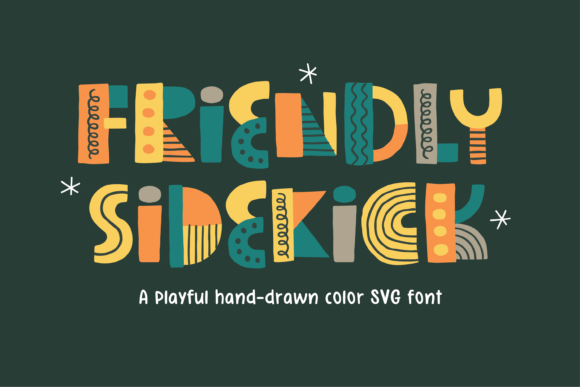
At its heart, Friendly Sidekick is a bold, charming typeface designed to convey approachability and character. Its primary appeal lies in its strong visual personality, which can instantly set a tone for a brand, product, or personal project. The font is packaged in two primary variations to accommodate different design needs and software environments.
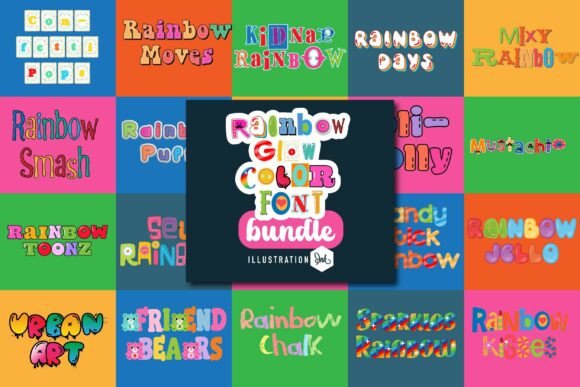
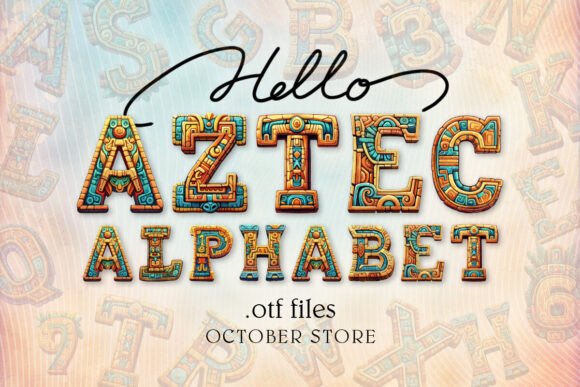
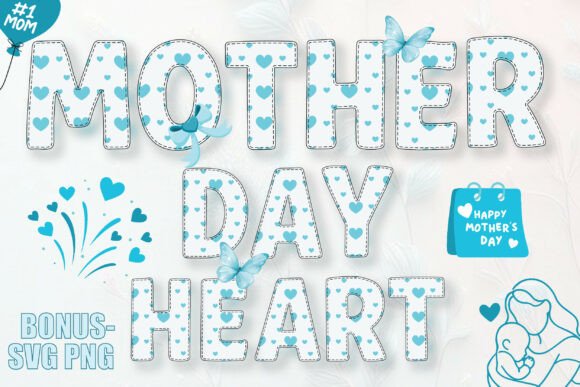
The first is a color SVG-OTF version. This is the flagship offering, showcasing the font in its full, vibrant form as seen in preview images. This version leverages modern color font technology, allowing for multi-colored, textured, or illustrated letterforms within a single font file. It's important to note that this color version has specific software compatibility requirements, typically working with professional design programs like Adobe Photoshop, Illustrator, Silhouette Studio, and Inkscape.
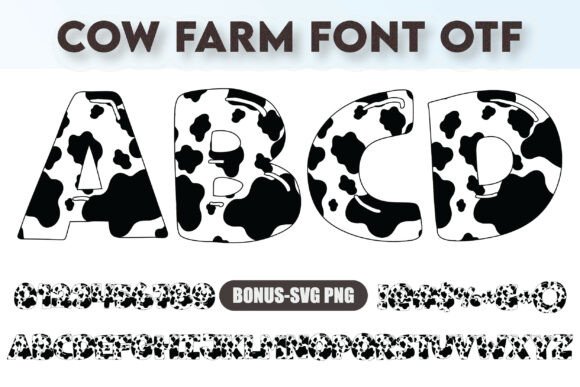
The second variation is a basic black version. This is a standard single-color font file that offers broader compatibility. Its key advantage is functionality with popular crafting machines and software, such as Cricut Design Space, making it a practical choice for physical product creation like decals, t-shirts, and paper crafts.
Key Considerations for Your Project
Evaluating Friendly Sidekick involves weighing its distinctive style against practical workflow considerations. Here are the primary factors to assess.
Where Friendly Sidekick Excels
This font is a strong fit for projects where personality and visual impact are top priorities. Consider it for:
- Branding with Character: Logos, mascots, or headers for brands that want to appear fun, approachable, and memorable. Its bold nature ensures good readability at larger sizes.
- Children's Materials: Book covers, educational posters, or packaging for kids' products where a friendly, engaging aesthetic is crucial.
- Greeting Cards & Invitations: Designs that benefit from a handwritten, charming touch to convey warmth and personalization.
- Crafting and DIY Projects: Using the black version with a cutting machine to create vinyl decals, stickers, or iron-on designs with a unique flair.
Important Tradeoffs and Compatibility Checks
The font's most significant consideration is its software dependency, particularly for the color version. Before purchasing or committing, you must verify your design environment. If your primary workflow involves Cricut Design Space or similar basic cutting software, you will be limited to the black version. The full color potential is only unlocked in compatible advanced design programs.
Furthermore, the provided additional files (.ai, .eps, .svg, and .png) are a practical workaround for software that lacks color font support. However, this means your workflow may involve vectorizing the font in a program like Illustrator to edit colors, adding an extra step compared to using a standard, editable color font. This is a key tradeoff between accessing unique color typography and maintaining a streamlined editing process.
It is also essential to manage expectations regarding its use. While the bold style is excellent for headlines and short text, its decorative nature may reduce readability in long paragraphs of body copy. It is not designed for extensive textual content but for impactful, targeted use.
Making an Informed Decision
To determine if Friendly Sidekick is the right choice, start by clearly defining your project's needs and your technical setup.
- Audit Your Software: Confirm if you use a program that supports color SVG fonts (e.g., Adobe Illustrator, Photoshop). If you only use Cricut Design Space, plan to use the black version or the included vector files for color customization.
- Define the Project Scope: Is this for digital design, physical crafting, or both? The font's dual-version approach caters to this, but your choice will be guided by the primary medium.
- Evaluate the Aesthetic Fit: Does the "bold and charming" character of Friendly Sidekick genuinely align with your project's message? Compare it to other display or handwritten fonts to see if it offers the unique personality you seek.
- Consider the Workflow: Are you comfortable with an additional vectorization step to change colors, or do you need direct, real-time color editing within your font menu? Your answer here will influence which version you use and how you integrate it.
Ultimately, Friendly Sidekick is a specialized tool. It offers a unique aesthetic and valuable flexibility through its file formats, but it demands awareness of its technical boundaries. By aligning its strengths in character and charm with your project's specific technical and stylistic requirements, you can make a confident and effective choice for your design toolkit.