Mastering the Art of Typography with Wonderful Butterfly
In the vast ocean of digital typography, finding a font that balances personality with professionalism can feel like searching for a needle in a haystack. Many fonts lean too heavily into casual messiness, rendering them unreadable, while others are so sterile they lack any human warmth. This is where Wonderful Butterfly enters the conversation. It is a delightfully versatile handwritten font that marries a contemporary feel with a playful yet professional undertone. Its unique design artfully blends harmonious lines with a light-hearted style, making it an impeccable selection for an array of creative pursuits. However, even the most beautiful typeface can fall flat if not utilized correctly. To truly harness the power of Wonderful Butterfly, one must navigate the common pitfalls of font selection and application with a discerning eye.
The Illusion of "One Font Fits All"
A frequent misunderstanding among creators is the assumption that a display font, no matter how beautiful, can serve as a universal solution. Wonderful Butterfly features characters that exude a handcrafted flair, affording the font a welcoming and intimate character. While this makes it stunning for headers, logos, and short call-to-action phrases, relying on it for the entirety of a website’s body text is a mistake that can severely impact usability.
Handwritten fonts, by their nature, often require more cognitive load to process than standard sans-serifs. If you use Wonderful Butterfly for long paragraphs, you risk causing eye strain for your readers, which directly affects bounce rates and user satisfaction. The "playful" nature of the script can become exhausting to read in large blocks.
The Better Approach
Use Wonderful Butterfly as a strategic accent. Let it shine in your H1 and H2 headings, or perhaps in a pull quote to add emotional weight. For the body copy, pair it with a highly legible, neutral font. A clean sans-serif like Lato or Open Sans often complements the organic curves of Wonderful Butterfly without competing for attention. This contrast creates a visual hierarchy that guides the reader’s eye naturally, ensuring your design is both beautiful and functional.
Neglecting Weight and Hierarchy
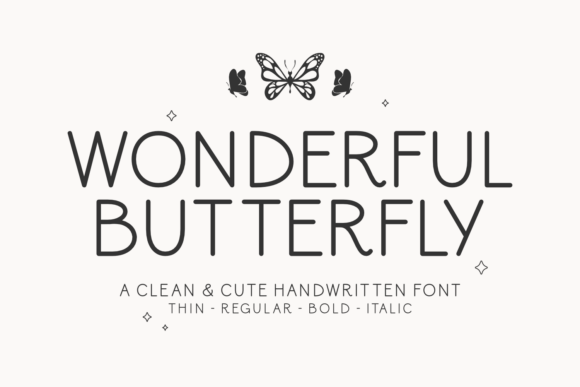
One of the strongest assets of Wonderful Butterfly is its availability in four tailored weights: Thin, Regular, Bold, and Italic. A common oversight is downloading the font but only utilizing the "Regular" weight for every instance. This creates a flat, monotonous design that fails to guide the user through the content effectively.
Furthermore, some users mistakenly believe that simply bolding a handwritten font makes it "louder" or more important. In reality, the Bold weight of Wonderful Butterfly is designed to maintain the font's structural integrity while adding emphasis. If you use the software's "faux bold" feature on the Thin weight rather than selecting the actual Bold font file, you will lose the clean lines and the polished look that define the typeface. The result is often a blurry, unprofessional mess.
Practical Advice
Before you begin designing, take time to map out your typographic hierarchy. Use the Thin weight for delicate, secondary information or elegant subtitles where space is limited. The Regular weight is your workhorse for main headings. Reserve the Bold weight for critical callouts—like a "Buy Now" button or a warning message—where you need the text to pop without looking aggressive. By utilizing the full spectrum of the font family, you establish a visually cohesive and engaging hierarchy that feels intentional and sophisticated.
Spacing and Alignment Oversights
Handwritten fonts behave differently than geometric fonts. A frequent error when applying Wonderful Butterfly is ignoring kerning (the space between specific characters) and leading (line height). Because the font mimics natural handwriting, certain letter combinations—like "Th" or "wh"—may appear to have too much or too little space if left at default settings.
Additionally, because the baseline of a handwritten font often "bounces" slightly to mimic natural writing, left-aligning text is usually much more forgiving than center-aligning. Centering long lines of Wonderful Butterfly can create a jagged, uneven edge on the right side of the text block, which looks sloppy and unrefined.
Refining the Look
Always zoom in and check your tracking and kerning. If the letters feel too cramped, increase the tracking slightly to let the characters breathe; this enhances readability and maintains the font's welcoming nature. When laying out text, default to left-alignment for any text longer than two lines. If you must center text, keep it to single lines or very short phrases to maintain that polished, balanced aesthetic the font is known for.
Context and Audience Mismatch
While Wonderful Butterfly is versatile, it is not appropriate for every industry. A significant mistake is forcing this font into contexts that require strict formality or high-urgency communication. For example, using this font for legal disclaimers, medical instructions, or serious corporate financial reports can undermine the credibility of the content. The "light-hearted style" might inadvertently trivialize serious subject matter, leading to a disconnect in communication.
Conversely, failing to use it in industries where it excels—such as wedding planning, lifestyle blogging, children’s education, or boutique branding—is a missed opportunity. The font's "intimate character" is a powerful tool for building trust and rapport with a consumer audience looking for a personal touch.
Making the Right Choice
Evaluate the emotional tone of your project before committing. Ask yourself: Does this project need to feel authoritative and stern, or approachable and creative? If the latter, Wonderful Butterfly is likely an excellent fit. However, always test the font within the context of your actual content. A logo might look great, but does it remain legible when scaled down to a mobile favicon? Always check for scalability to ensure the font works across all platforms.
Final Thoughts on Selection and Download
Finally, ensure you are acquiring Wonderful Butterfly from a reputable source to avoid licensing issues or corrupted font files that can crash design software. When you opt for Wonderful Butterfly, you are choosing to infuse your creative projects with visual charm and artistic distinction. By avoiding the trap of overuse, respecting the font's specific weights, and paying attention to technical spacing, you ensure that the font serves its ultimate purpose: connecting with your audience in a way that feels both professional and deeply human.